We do not publish magic frequency tables for the Z15 Pro. Chip bins, ambient temperature, and PSU headroom differ per unit. What we can do is frame the tradeoff so you do not brick a miner chasing 5% hash.
Bitmain’s published typical point for the current machine is about 860 KSol/s at ~2780 W wall (@ ~25°C). That is the baseline every overclock claim should beat after electricity.
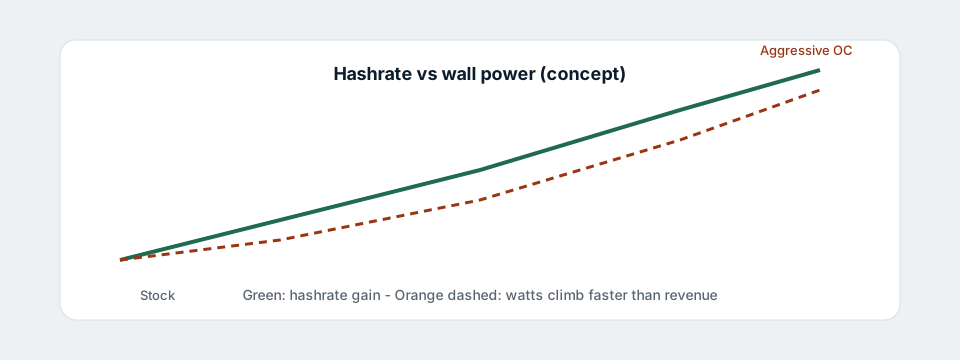
What overclocking usually changes
- Higher chip clocks / voltages (via custom FW or vendor tools)
- Higher fan curves and noise
- Higher board temperatures and failure rate
- Higher continuous kWh — the bill you cannot negotiate with
Hashrate vs power — how to judge a tune
- Record stock: local hash, PDU watts, pool accepted shares, inlet temp.
- Apply one change only; wait until hashrate stabilises (30–60+ minutes).
- Compare pool revenue and measured watts, not only the miner tile.
- Compute J/KSol roughly as watts / KSol/s — if efficiency collapses, you are paying for bragging rights.
Example mindset: +3% hash with +12% watts is a loss at many residential power rates. Use electricity & break-even with your real $/kWh.
Stock settings are a valid “overclock profile”
Leaving Bitmain defaults is often the highest uptime profile. Cool air, both AC cords, and clean firmware recover more “missing hash” than a risky tune — see 700–800K instead of rating.
Risks worth repeating
- Hashboard damage from aggressive voltage
- Thermal throttling that erases the gain
- Custom firmware side effects (firmware guide)
- Warranty / Support friction
Practical recommendation
For most operators buying a Z15 Pro 860K in 2026: run official stock, fix environment and power first, and only experiment on a machine you can afford to lose. If a seller promises “free 1000K profiles,” ask for a PDU screenshot and a week of pool history.
Related: Best firmware · Electricity & break-even · All guides