
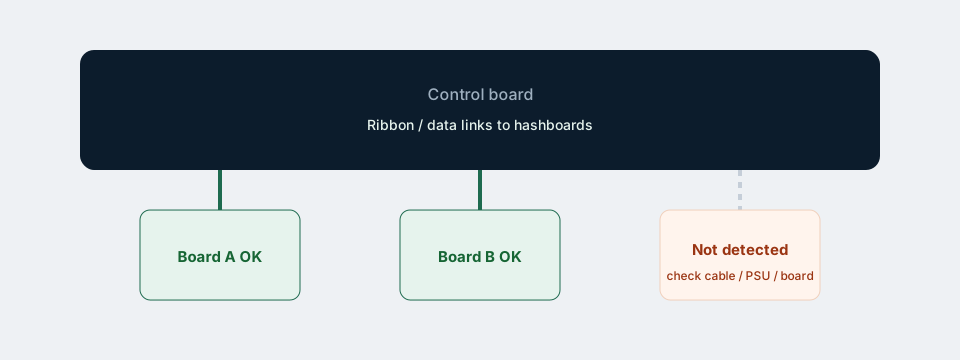
When the Antminer Z15 Pro UI lists fewer hashboards than the chassis has, hashrate collapses roughly in proportion. Fix detection before you chase stratum settings.
Safety first
- Power off and unplug both AC cords before opening the unit.
- Use ESD-safe handling on boards and ribbons.
- Do not force connectors; pins bend easily.
Step-by-step checks
- Note the UI — which chain/board IDs are missing? Screenshot it.
- Reseat data ribbons — control board to hashboards; listen/feel for full latch. Confirm you did not leave a cable on a documented problem port after firmware work (FR1.9 / CH3 notes).
- Inspect cables — creases, torn shields, burnt smell, loose latch tabs.
- Power path — PSU to board power connectors fully seated; both AC inlets used on reboot (wiring guide).
- Swap test (advanced) — if you have a known-good spare cable, swap only that. Avoid shotgun board swaps without photos.
- Firmware — return to official Bitmain stock if you recently flashed custom files.
Symptoms map
- One board missing, others fine — cable or that board.
- All boards missing — control board, main power, or failed flash.
- Board appears then drops — heat, marginal power, failing board.
When to stop and get help
If ribbons and power are confirmed and the board still never enumerates, you likely need repair / replacement parts. Collect: serial, firmware string, screenshots, ambient temp, and whether the unit was dropped in shipping. Contact support@z15pro860.com if you bought from us.
Low total hash with all boards showing can still be heat or tune issues — see 700–800K troubleshooting.
Related: Low hashrate guide · Setup · All guides